WoW Forever character builder: equip, compare and add up your gear
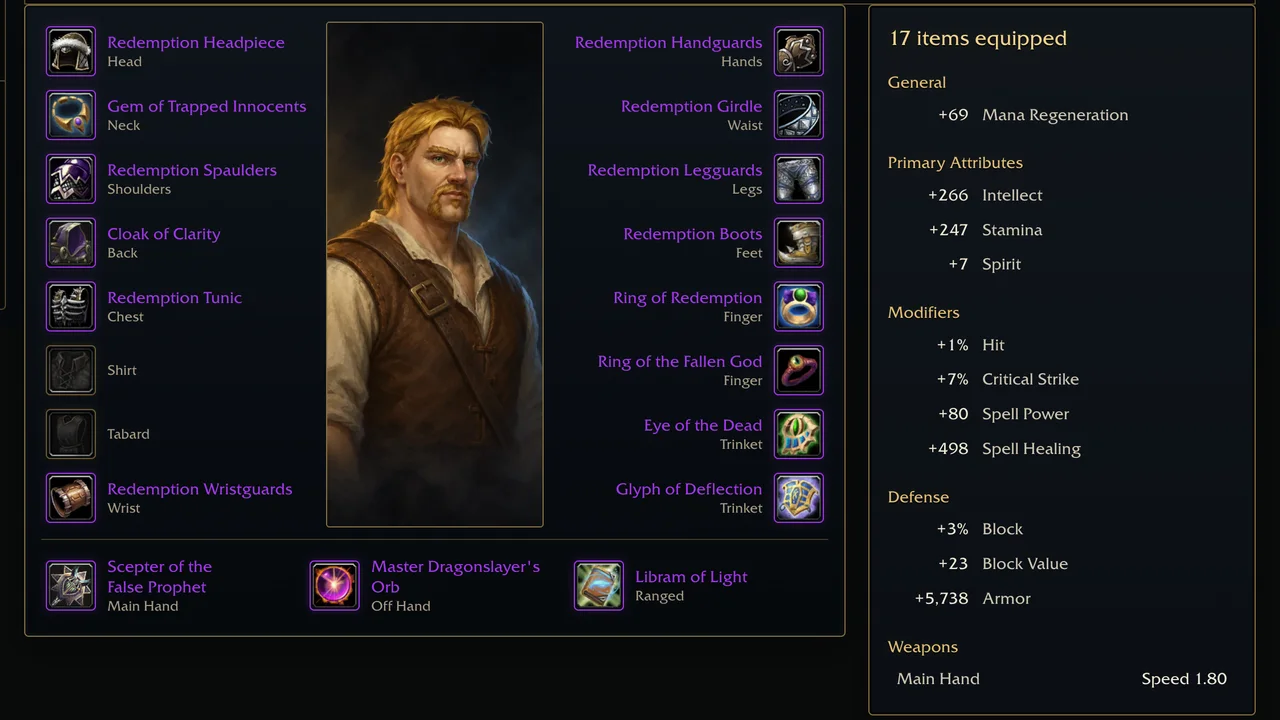
Equipment now plans a WoW Forever character in the game's own Character Info window. Your character stands in the middle with every equipment slot around it, and the totals of what you wear sit beside it. Talents and Legacy use the same character, so you set class, race and level once.
Only what your character can wear
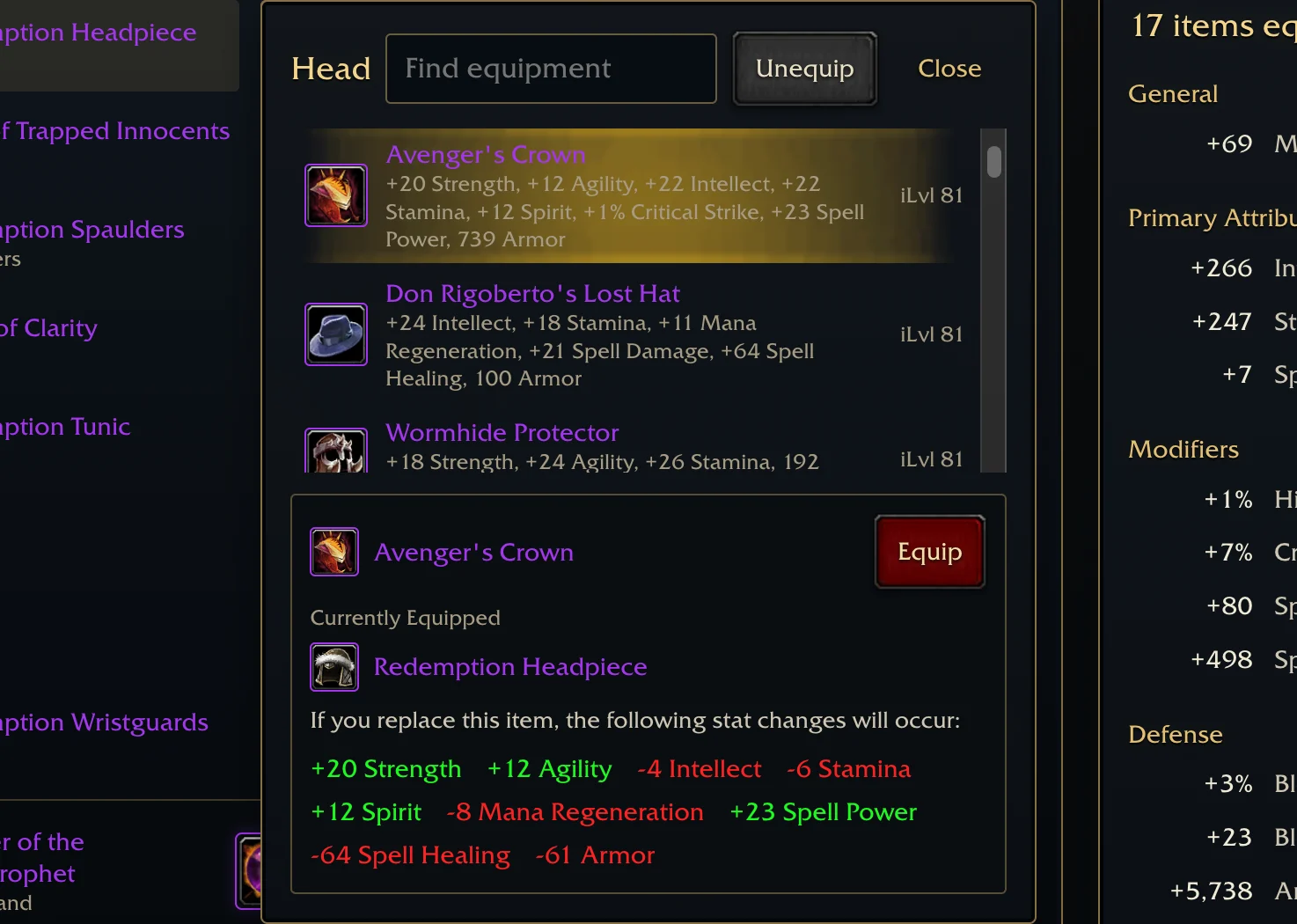
Choose a slot and a list opens with the items your class, race and level can equip there, best first. Each row shows the item's stats and item level, and Find equipment narrows the list by name. Hands work as they do in the game: equipping an off-hand item takes off a two-handed weapon.
Compare before you equip
Select an item and the builder compares it with the one you wear, in the game's own words: "If you replace this item, the following stat changes will occur." Gains are green and losses are red. Equip puts the item on, a double-click on its row does the same, and Unequip empties the slot.
The totals of what you wear
The panel beside the paperdoll adds up every equipped item in the order the game's Character Info pane uses, from General and Primary Attributes down to Defense and Weapons. Change one piece and every total follows.
From any item to your character
Every page of an item you can wear has Equip in my build. It opens Equipment on that item's slot with the comparison ready. An item your character cannot use is refused with the game's message, such as "You must reach level 60 to use that item."
Keep and share your character
Your character stays on the site between visits. Share link copies a link that opens the same character and gear for anyone you send it to. After you sign in, Publish build publishes the build with its paperdoll, totals and talent trees.
Adventurers’ notes